More devices than you can name
TVs, cameras, speakers and laptops reach the internet all day. Few of them tell you who they are talking to.
Open source Pre-release · GPL-3.0
NetTap is a network monitor for homes and small businesses. It records the traffic, flags threats and explains each one in plain English. Your traffic stays on the box.
NetTap is an independent project. Naming these projects does not imply their endorsement.
The problem
TVs, cameras, speakers and laptops reach the internet all day. Few of them tell you who they are talking to.
A home router gives you rough traffic numbers. Products that go deeper often keep the detail behind a subscription.
Open-source security stacks are powerful, but setting them up and reading their output takes real Linux and security experience.
The solution
Put NetTap on your network and it builds a full record of what every device does, then turns it into a dashboard anyone in the house can read.
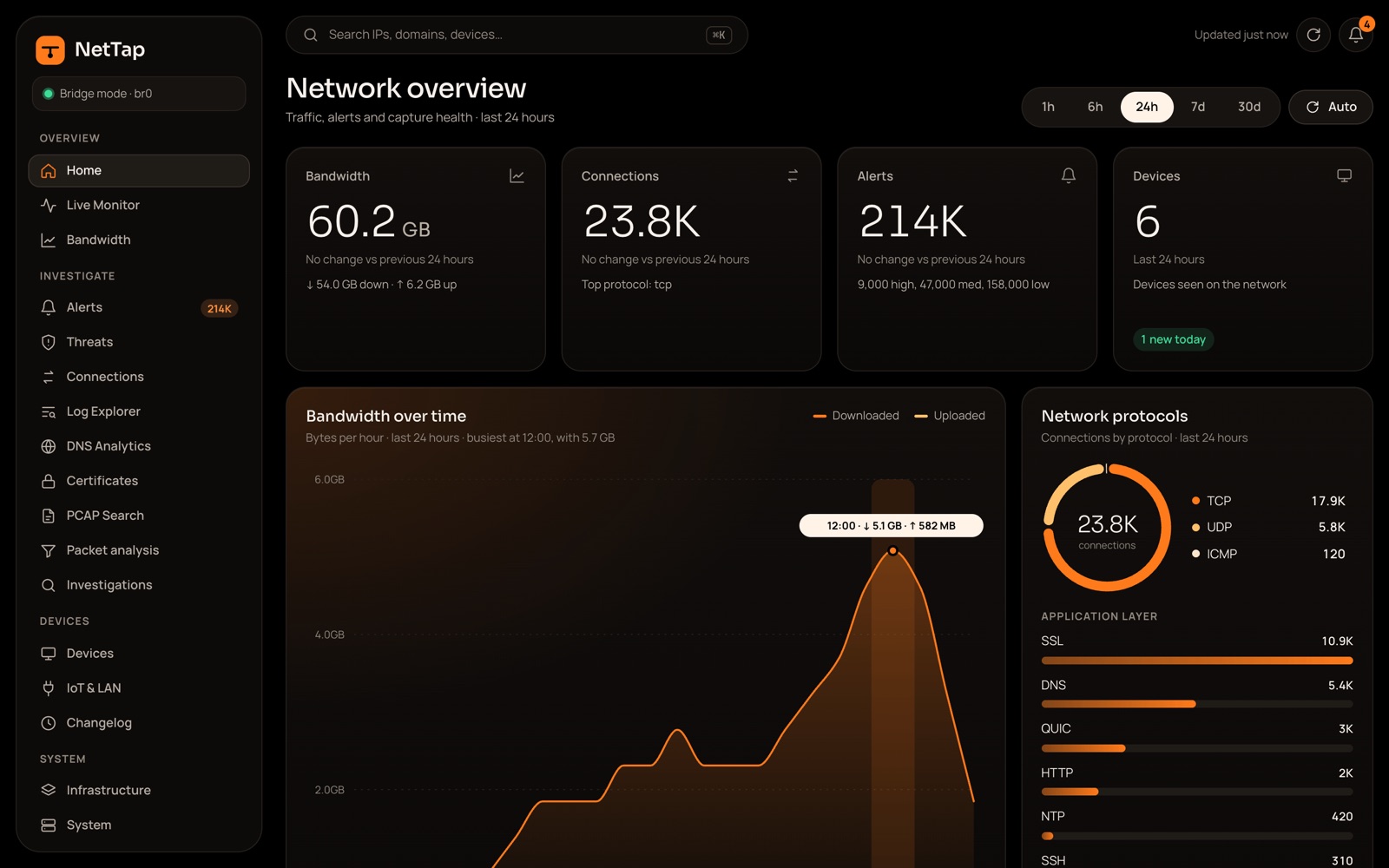
Every device on the network with its traffic, alerts and a risk score. Name them the way your household does.
Suricata detections and behaviour checks such as beaconing and DNS anomalies, each explained in a sentence or two.
Full PCAP you can search and download, with TShark and CyberChef built in for when you need the raw detail.
Three steps on every packet, all on the box
Send alerts to the apps you use every day.
Inside NetTap
Start with what happened in plain words, then open the connection, the device or the packet behind it.
Backyard camera tried to break into other devices
ET SCAN Telnet brute-force attempt outbound
What to doUpdate the camera's firmware and change its password. If it keeps happening, unplug it.
Each alert leads with what happened and ends with what to do. The signature sits underneath for anyone who wants it.

Type, maker, operating system and bandwidth for everything on the network, busiest first.

Open any conversation packet by packet, see each decoded layer and download the capture.
Packet analysis
NetTap keeps the packets, not just the records. Pick a question or write a filter, and TShark reads the capture and shows you, packet by packet, what crossed your network.
Start with a common question
Or write your own display filter
ip.addr == 192.168.1.20 && tls37 ready-made filters in 6 groups · field names complete as you type
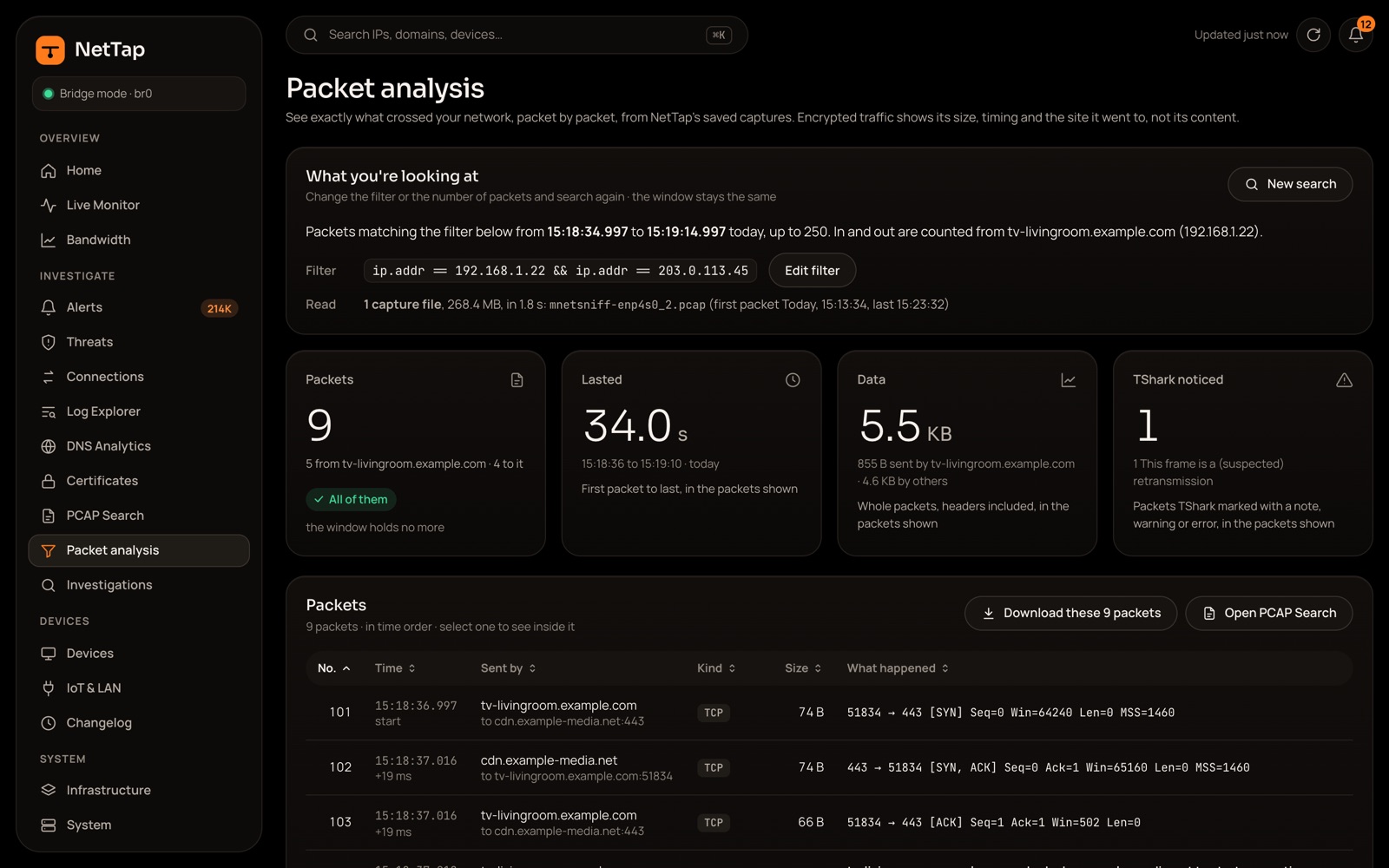
tv-livingroom asked cdn.example-media.net to start encryption
What's inside, layer by layer
ip.dst · bytes 30 to 33
0018  b8 21 c0 a8 01 16 cb 00
0020  71 2d ca 7a 01 bb 9e 41
Where TShark can tell, a packet gets a plain description beside the raw detail.
Open a packet to see each decoded layer. Pick a field and its bytes light up.
Jump from one packet to every packet in the conversation it belongs to.
Download the packets as a PCAP for Wireshark, or decode data in the built-in CyberChef.
How it connects
Also needs a management interface for the dashboard.
Sees traffic after the router's NAT, so every device shows as the router's IP.
Still being built and not yet tested on real hardware.
90days
of connection records
Zeek and Suricata records, kept by default. Change it in Settings.
30days
of packet capture
Capped at a quarter of the disk so records always have room.
0
accounts or subscriptions
No sign-up, no monthly fee, no cloud service to depend on.
~$200
of hardware
The target cost of a small Intel N100 mini PC with two Ethernet ports.
Local only
Everything NetTap records is stored and analysed on the hardware you own. There is no NetTap cloud for it to go to.
Update checks, rule downloads and WHOIS lookups do use the internet.
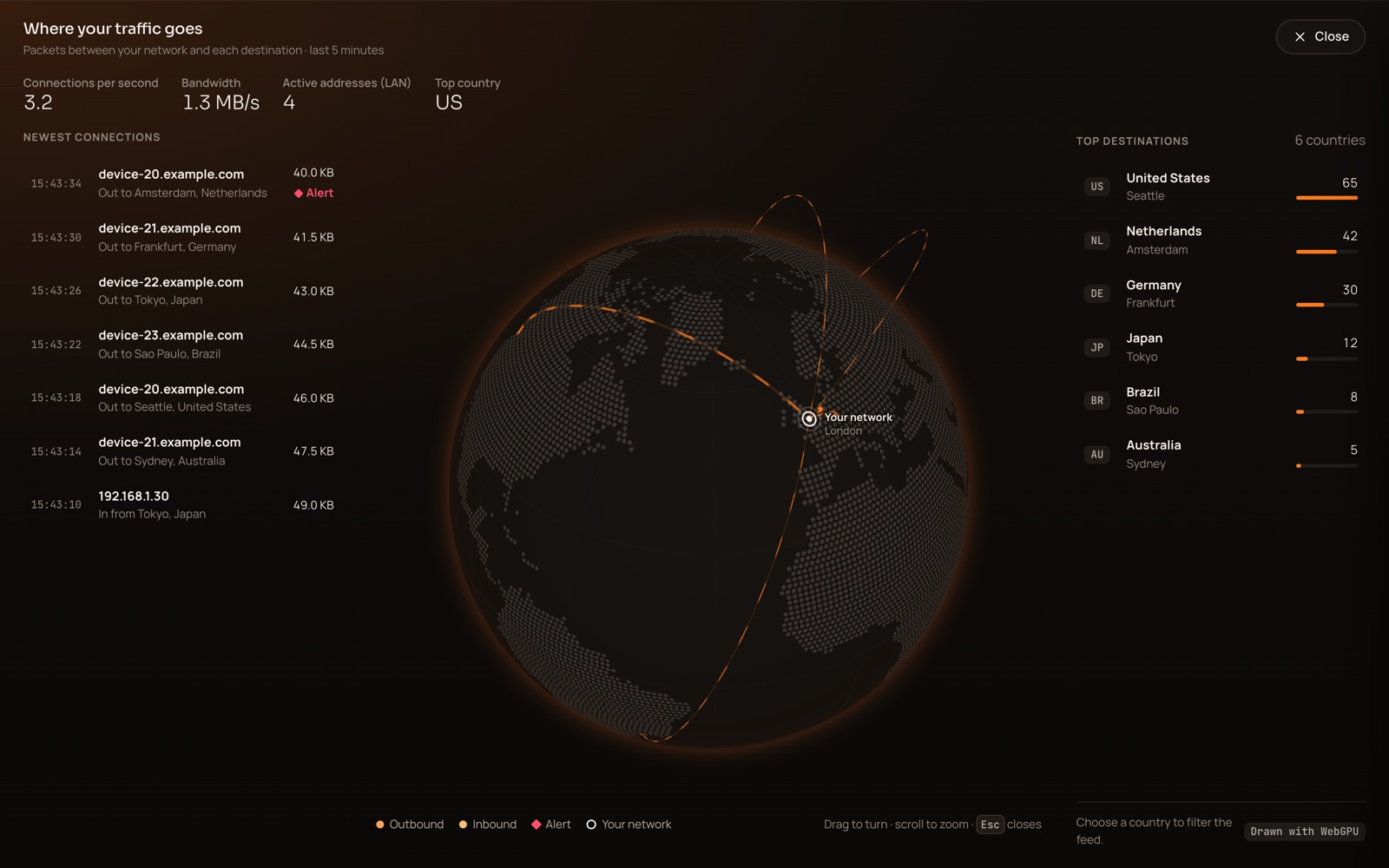
The Live monitor shows where your traffic goes. NetTap itself reports to no one.
Hardware
NetTap checks the disk every 5 minutes and clears space before it fills.
Install
It blinks each port's LED so you can tell them apart, installs Docker and starts the services.
Go to https://nettap.local from any device on your network.
Enter the one-time setup code, then pick the capture mode, ports, retention and an admin account.
$ git clone https://github.com/EliasMarine/NetTap.git
$ cd NetTap
$ sudo scripts/install/install.sh
Then open https://nettap.local
Pre-release. No version has been tagged yet. NetTap runs on test hardware, but expect rough edges.

Free, open source and yours to run. Set it up in an afternoon.